
How to Change OKX Referral
1
Move Assets from Existing OKX Account
- •First, move assets from your existing account to another exchange temporarily!
- •Make sure to confirm that NO assets remain!
2
Close Existing OKX Account
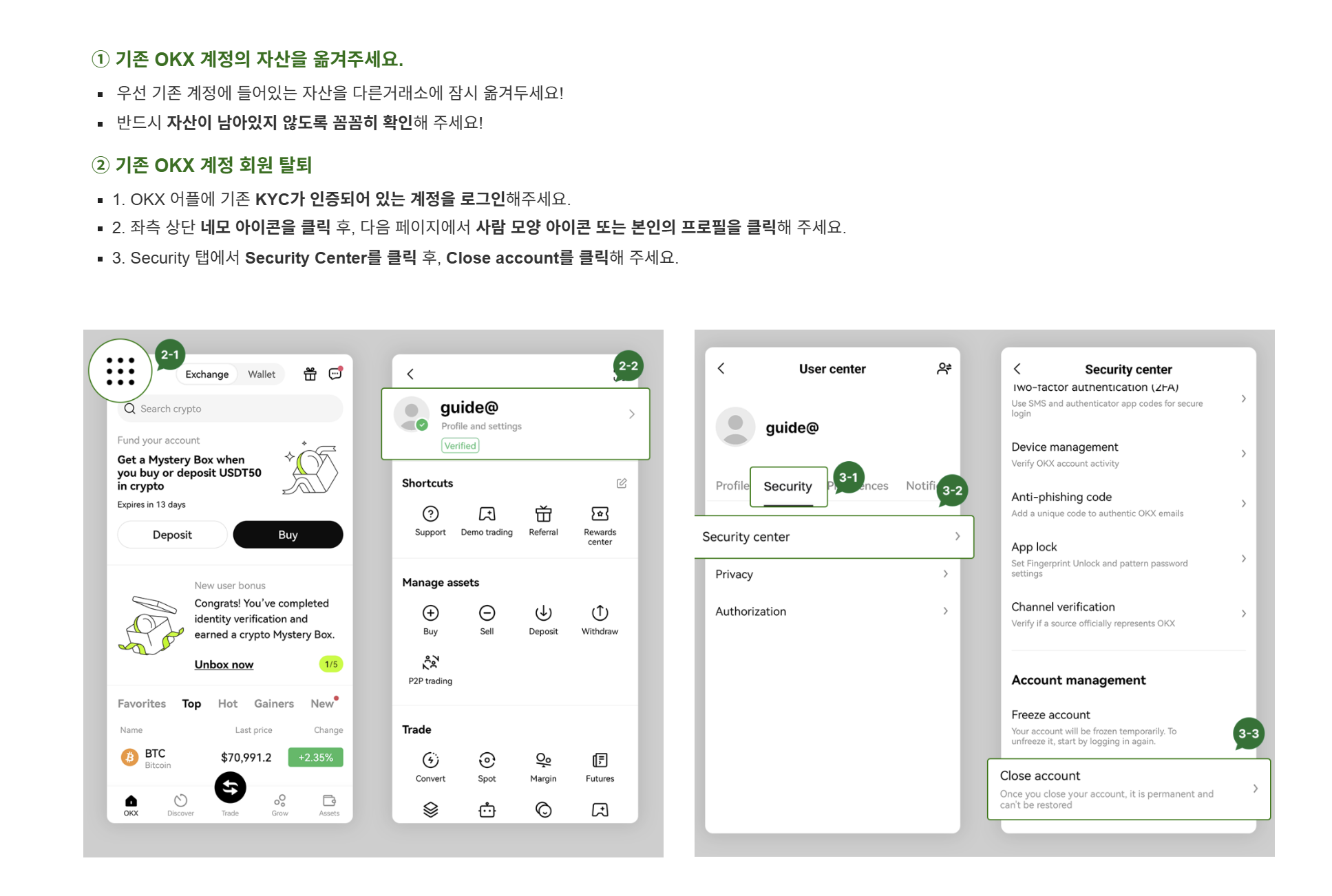
- 1.Log in to the OKX app with your existing KYC-verified account.
- 2.Click the square icon in the top left, then click your profile or person icon on the next page.
- 3.In the Security tab, click Security Center, then click Close account.
① Move Assets from Existing OKX Account
- • First, move assets from your existing account to another exchange temporarily!
- • Make sure to confirm that NO assets remain!
② Close Existing OKX Account
- 1. Log in to the OKX app with your existing KYC-verified account.
- 2. Click the square icon in the top left, then click your profile or person icon on the next page.
- 3. In the Security tab, click Security Center, then click Close account.
3
Select Reason and Confirm
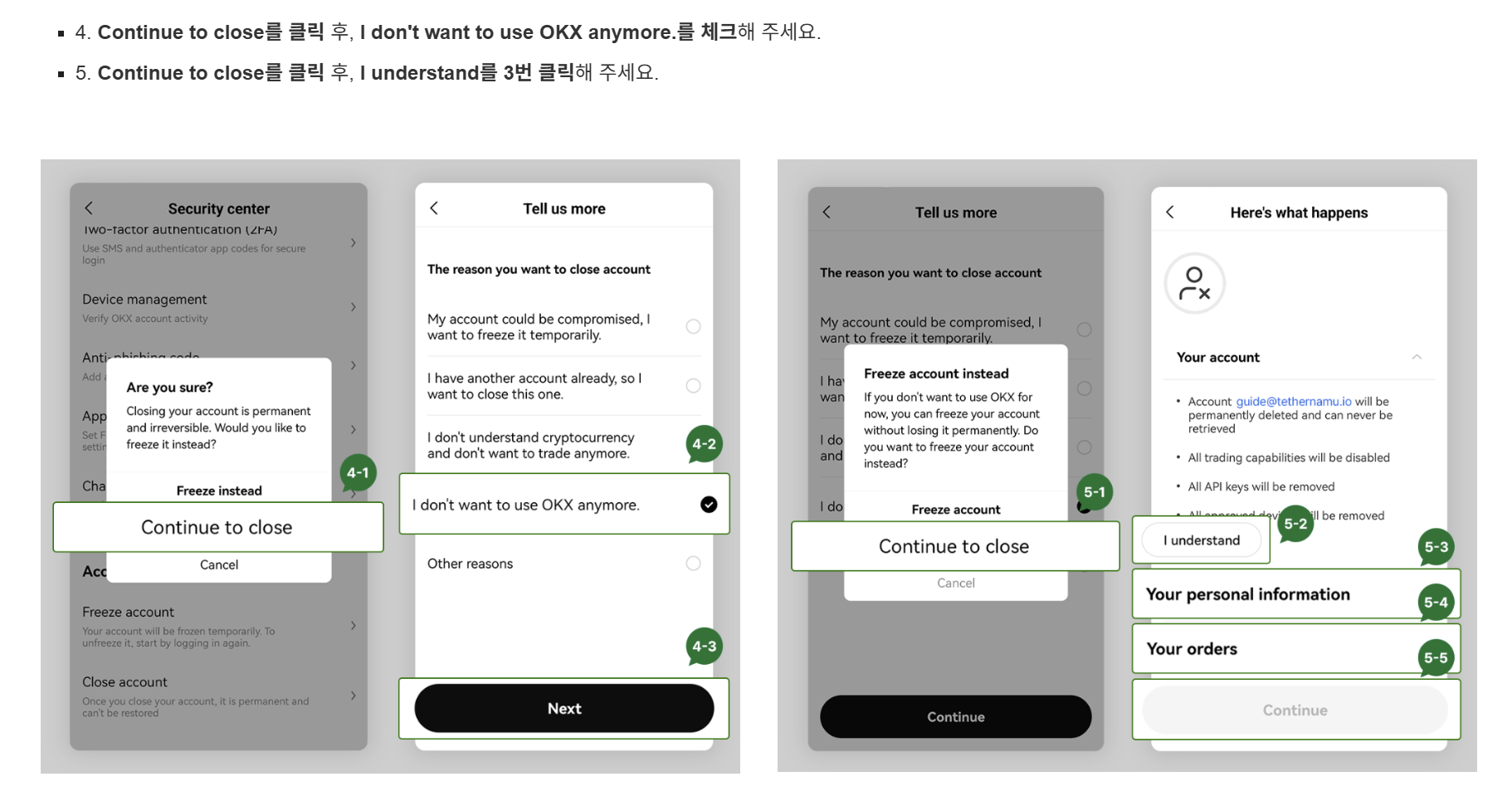
- 4.Click Continue to close, then select "I don't want to use OKX anymore."
- 5.Click Continue to close, then click "I understand" 3 times.
4
Complete Verification and Close
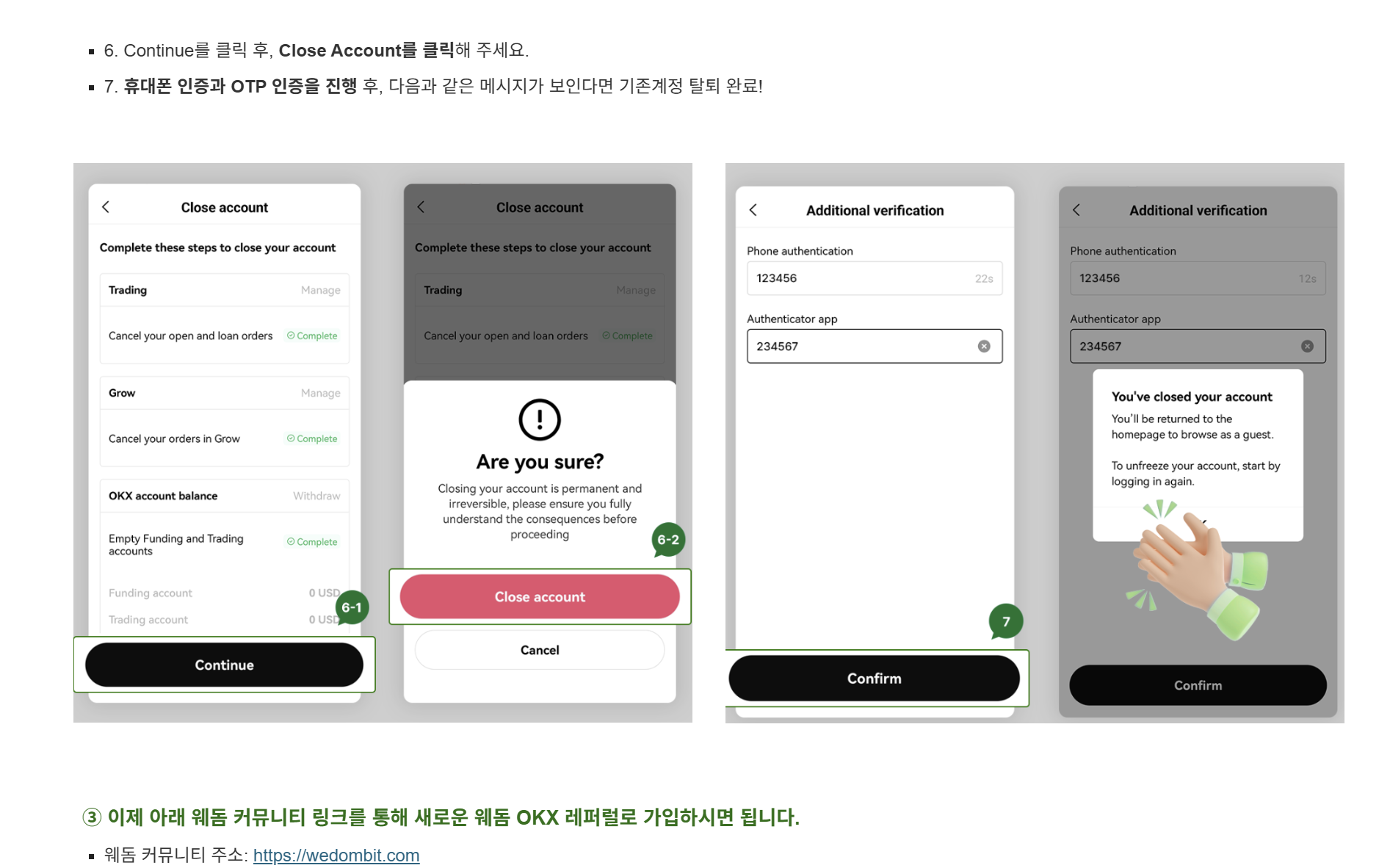
- 6.Click Continue, then click Close Account.
- 7.Complete phone and OTP verification. If you see the confirmation message, account closure is complete!
5
Sign Up with DSL.Capital OKX Referral
Now sign up with the new DSL.Capital OKX referral link:
https://okx.com/join/DSLCAPITAL2