
How to Change Gate.io Referral
Important: Gate.io referral change is NOT possible!
Unlike other exchanges, Gate.io does not allow changing referral codes after registration. To receive payback benefits, you must create a new account.
Solution:
- • Create a new account with DSL Capital referral link
- • Transfer assets from your old account to the new account
Request KYC Cancellation
Gate.io KYC is not automatically released. You must request cancellation through customer support.
- Log in to Gate.io
- Click the profile icon (top left) → Click the customer support icon/headset (top right)
- Click 'Identity Center (KYC)'
- Submit a customer center ticket
- Inquiry type: Account issue → Write 'KYC cancellation request'
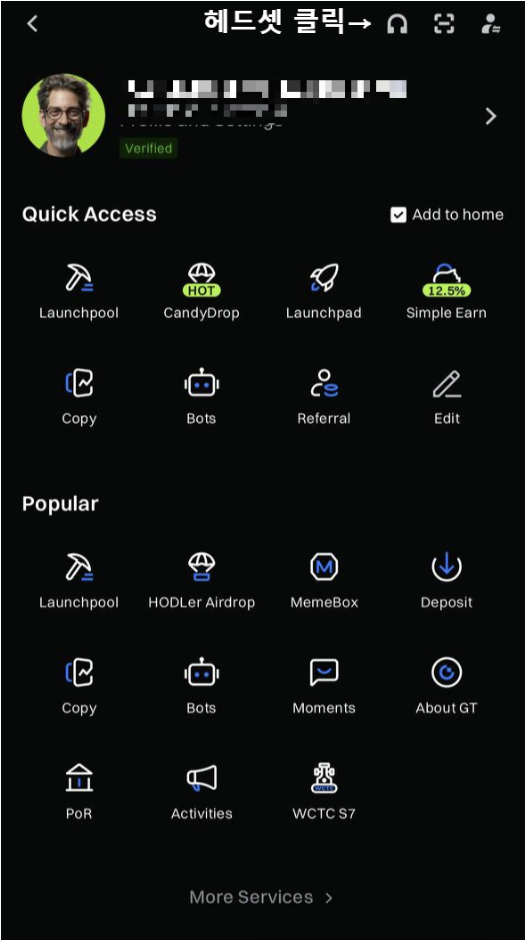
1-1
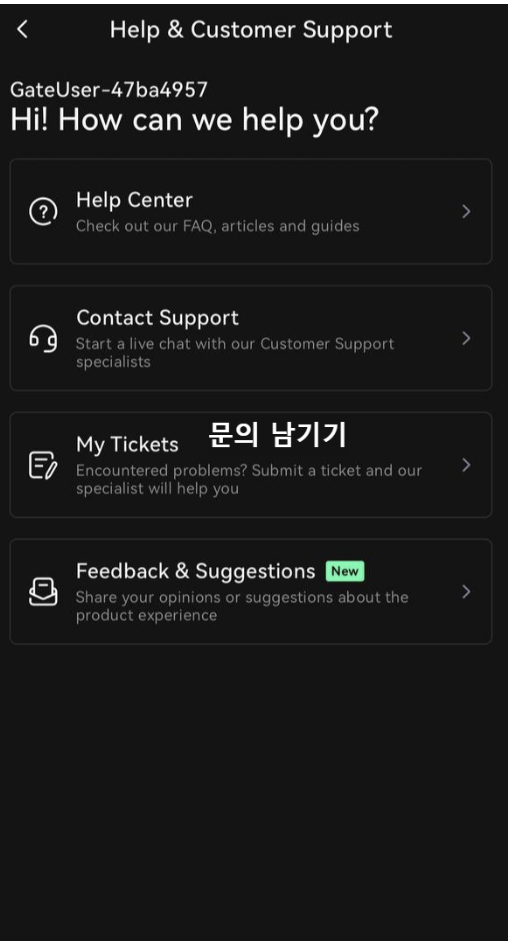
1-2
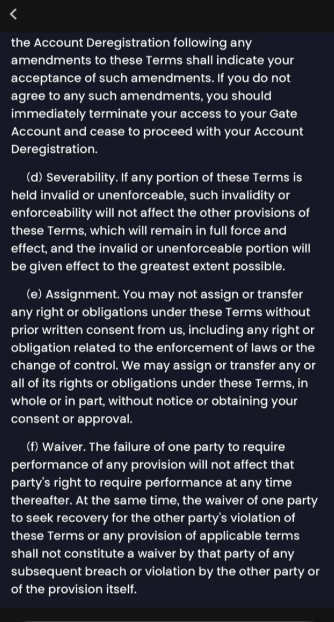
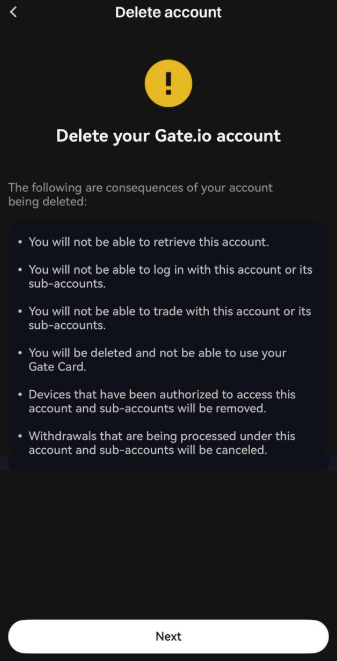
Close Account (Account Deletion)
After KYC is released, proceed with account deletion.
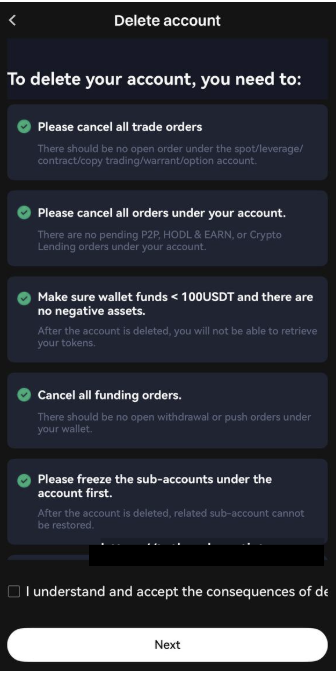
Checklist before account deletion:
- • Complete all asset withdrawals
- • Backup transaction history
- • Disable 2FA, API, and email verification
- Log in to Gate.io
- Go to top right [Settings] → Scroll down
- Click [Close Account]
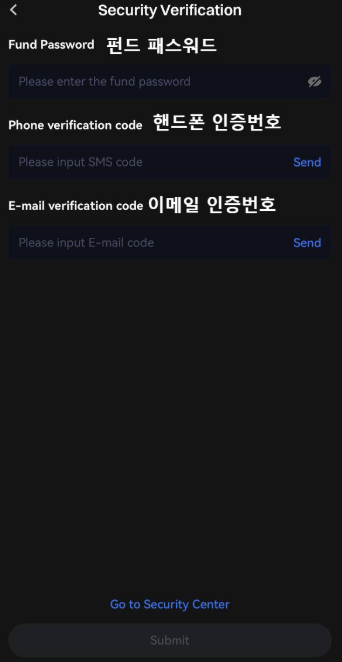
- Enter password and complete verification
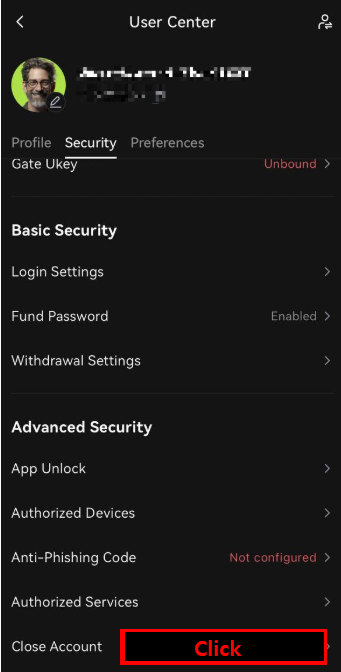
2-1
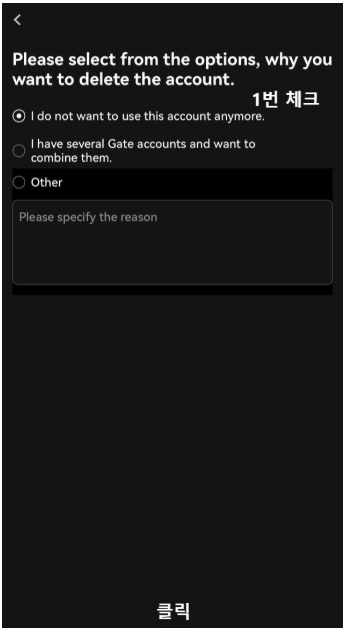
2-2
2-3
2-4
2-5
2-6
Sign Up with Lifetime Fee Discount
Now sign up through the link below to receive lifetime fee discounts and exclusive benefits:
FAQ (Frequently Asked Questions)
Q1. Can I change referral code on Gate.io?
Unfortunately, Gate.io referral change is NOT possible. To receive payback benefits, you must create a new account.
Q2. Can I delete my account without KYC cancellation?
No. You must first request KYC cancellation, then proceed with account deletion. If signing up for new benefits, KYC cancellation and withdrawal are not necessary.
Q3. After account deletion, can I sign up again with the same email or ID?
It may be restricted. Please use a different email/ID/phone number.