
How to Change Bybit Referral
1Create a New Bybit Account
- Go to the Bybit signup page through this link: https://partner.bybit.com/b/65727
- Make sure the referral code shows DSLCAPITAL
FYI: Bybit allows up to 3 accounts per person - you can create separate accounts using your Passport, National ID, and Driver's License.
2Move Assets from Existing BYBIT Account
- First, move assets from your existing BYBIT account to another exchange!
- Make sure to confirm that NO assets remain!
3Transfer KYC from Existing Bybit Account to New Account
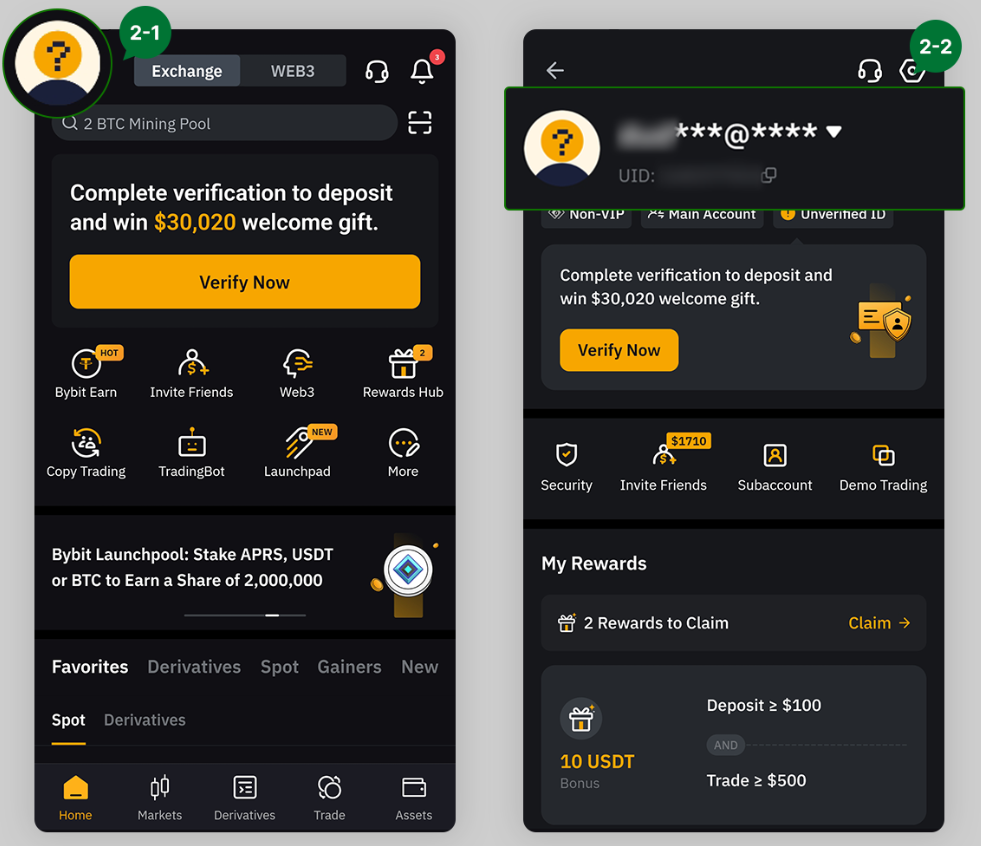
- Log in to the Bybit app with your existing KYC-verified account.
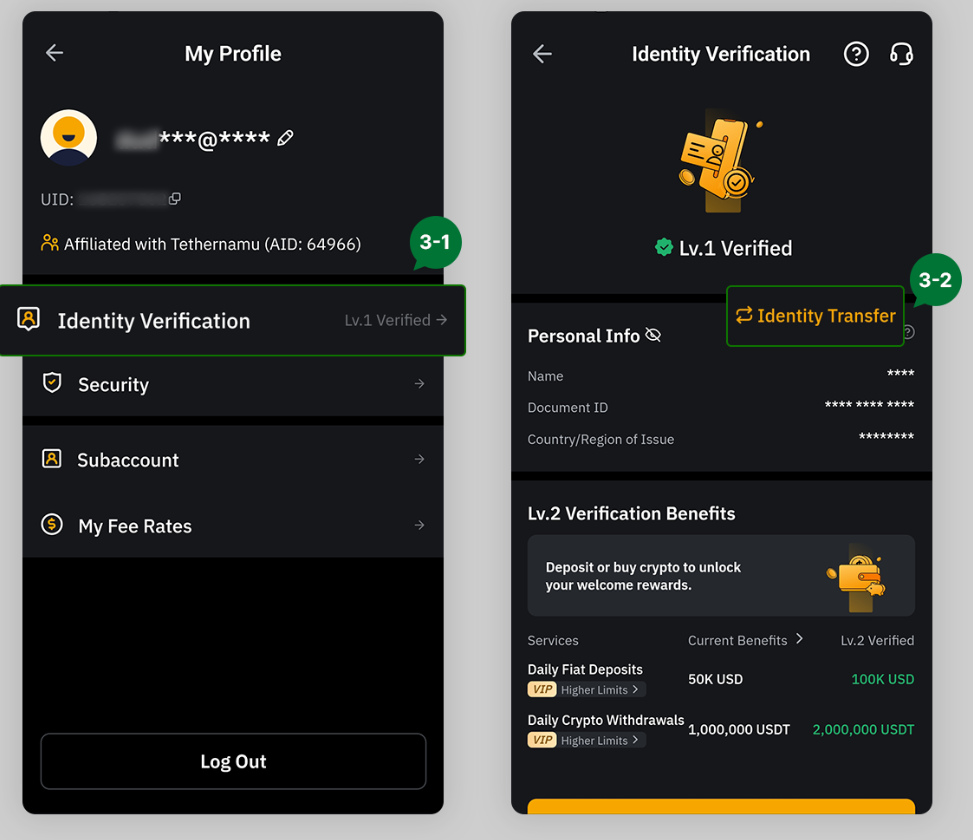
- Click the profile icon in the top left, then click your profile or person icon on the next page.
- Click Identity Verification, then click Identity Transfer on the next page.
4Complete Facial Verification
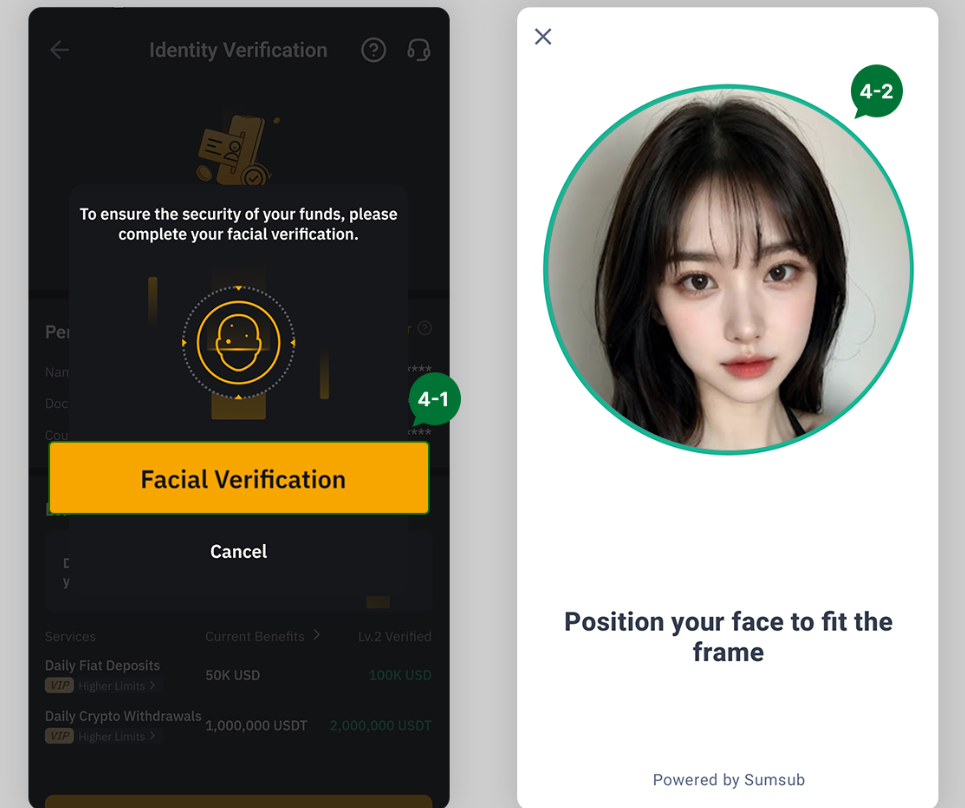
- Before transferring, you need to complete facial verification! Click Facial Verification and complete the face scan.
5Enter New Account Information
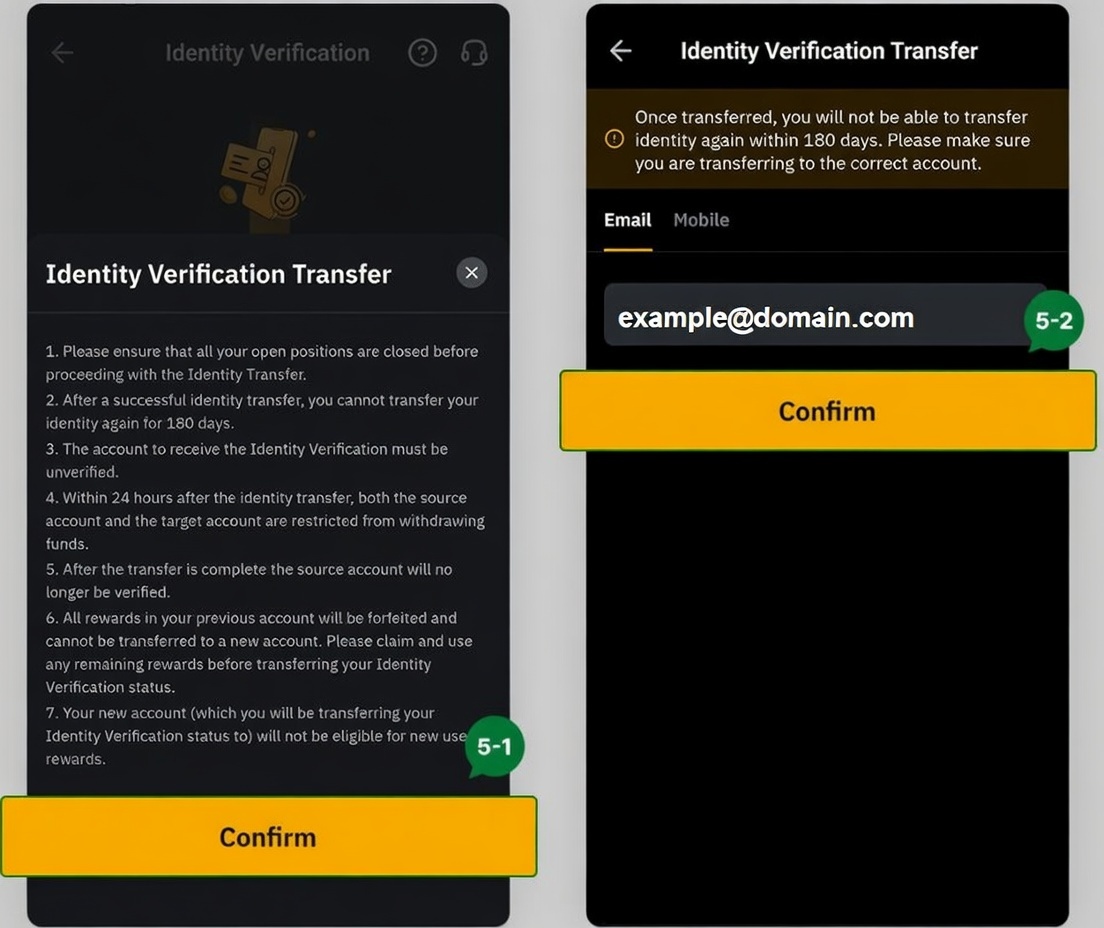
- After completing facial verification, KYC transfer is only available once every 180 days. Agree to proceed.
- Enter the email or phone number of your new account.
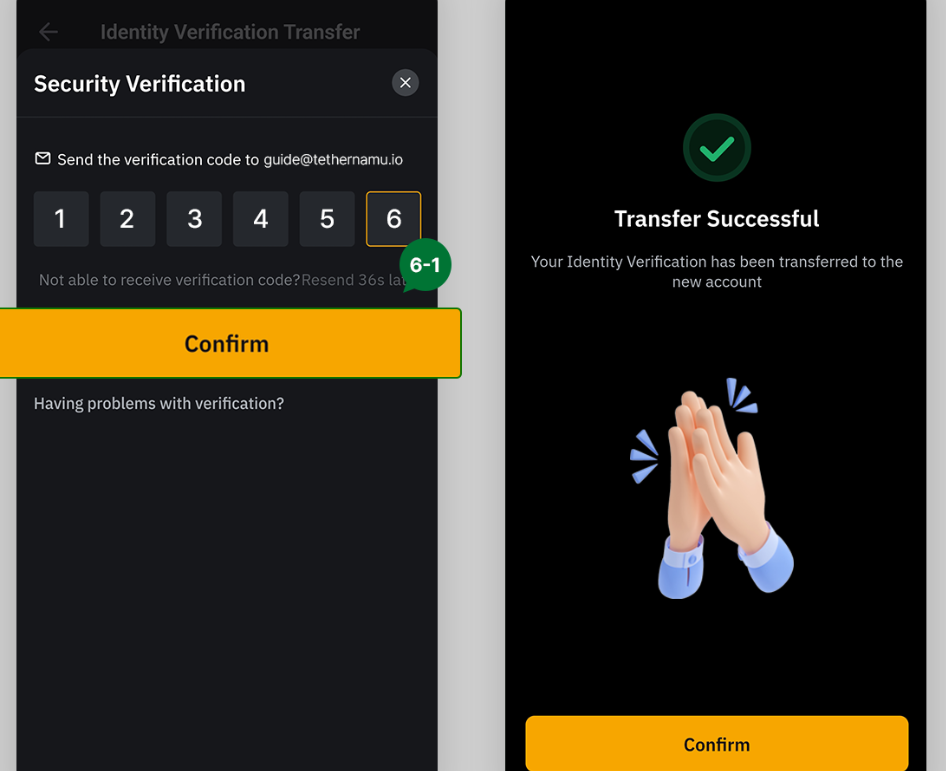
6Enter Verification Code
- Enter the verification code sent to your new email account. If you see Transfer Successful, KYC transfer is complete!
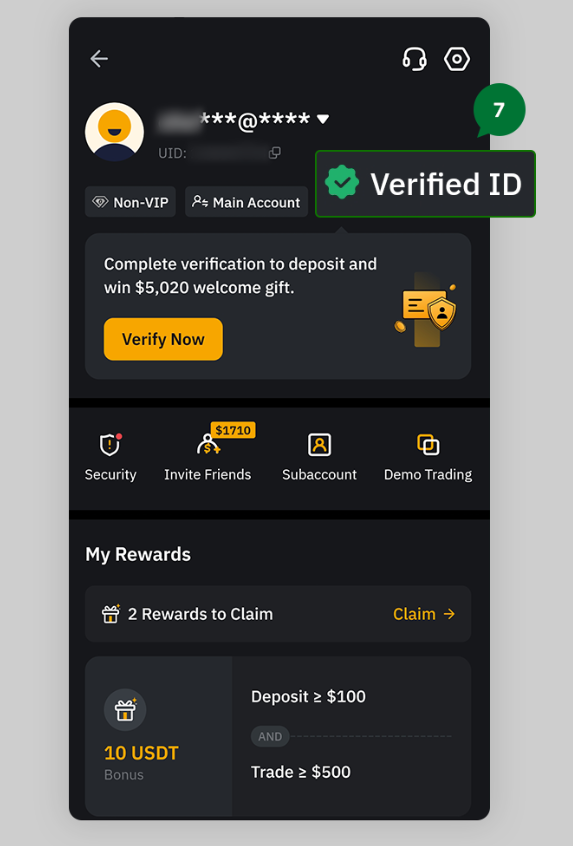
7Verify Completion
- Log out of the old account and log in to the new account! If you see Verified ID in the new account profile, the entire process is complete.
Benefits of changing to DSL Capital referral:
- 20% fee payback forever
- Access to exclusive Telegram community
- Chart analysis and market insights
- Algo-based trading signals